Beispiel:Hero-4.html
Aus SELFHTML-Wiki
<!DOCTYPE html> <html lang="de"> <head>
 <meta charset="utf-8">
 <meta name="viewport" content="width=device-width, initial-scale=1.0">
 <style>
html, body, header, h1, img {
 padding: 0;
 margin: 0;
}
body {
 background-image: linear-gradient(white 0%, #e6f2f7 10%, #5c82d9 70%, #8db243 70%, #ebf5d7 100%);
 position: relative;
 min-width: 400px;
 height: 99.5vh;
}
header h1 {
 position: absolute;
 top: 20%;
 left: 10%;
}
svg {
width: 400px;
}
- eins {
 position: absolute;
 top: 50%;
 left: 5%;
}
- zwei {
 position: absolute;
 top: 45%;
 right: 5%;
}
text {
 fill: yellow;
 stroke: #3983ab;
 stroke-width: 2;
 font-family: Arial, 'Garamond';
 font-size: 2em;
}
nav {
 position: absolute;
 top: 90%;
 left: 0%;
}
.ghost { position: relative; margin: 2em 4em; padding: .5em 1em; width: 8em; background: transparent; color: #3983ab; text-decoration: none; border: 1px solid #3983ab; border-radius: 3px; cursor: pointer; transition: all ease 2s; } .ghost:hover, .ghost:active { outline: none; background: white; color: darkblue; }
@media all and (min-width: 60em) {
 text {
   font-size: 4em;
 }
 svg {
   width: 800px;
 }
 header h1 {
   left: 20%;
} }
 </style>
 <title>Hero-Image Webseite - 2</title>
</head> <body>
<header>
<svg> <text x="1" y="100"> Frohe Ostern! </text> </svg>
 </header>
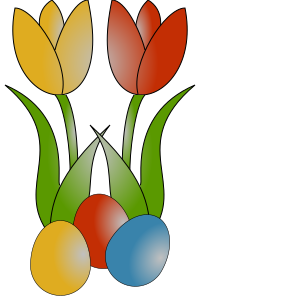
 <img id="eins" src="http://wiki.selfhtml.org/images/f/fa/Ostern-1.svg"
      alt="Tulpe mit Ostereiern">
 <img id="zwei" src="http://wiki.selfhtml.org/images/0/03/Ostern-2.svg"
      alt="Bunny mit Ostereiern">
<nav>
 <a class="ghost" href="http://wiki.selfhtml.org/wiki/HTML/Tutorials/Hero-Image-Webseite">zurück</a>
 <a class="ghost" href="http://wiki.selfhtml.org/extensions/Selfhtml/example.php/Beispiel:HTML-Tut-Hero-1.html">Beispiel 1</a>
</nav>
</body> </html>